알림 서비스 확장
SDK 2.5.0403 이상 버전에서는 완전한 푸시 기능을 지원하기 위해 알림 서비스 확장(Notification Service Extension)을 통합해야 합니다.
1. 알림 서비스 확장 Target 추가
- 1. 메인 프로젝트 .xcodeproj 또는 .xcworkspace 열기
- 2. 상단 메뉴 바 클릭:
File > New > Target...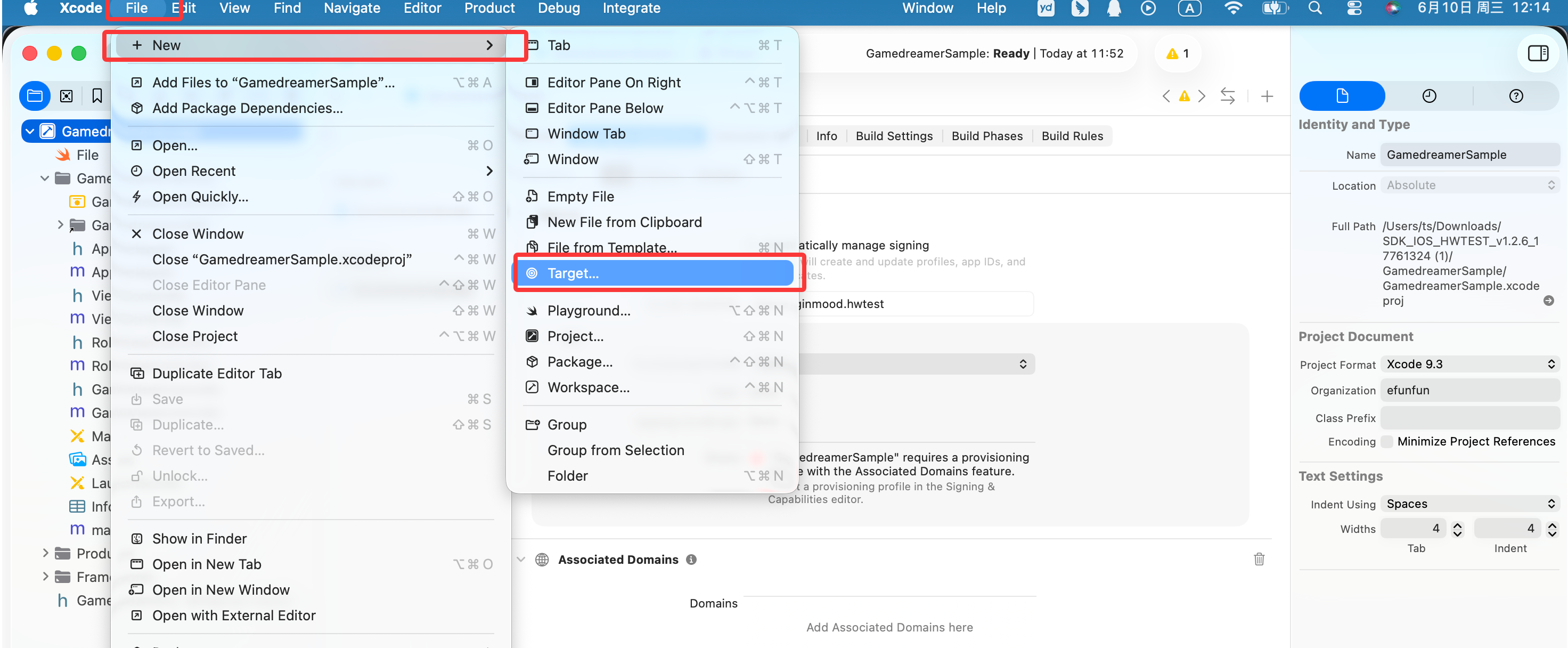
- 3. 선택:
Notification Service Extension,Next클릭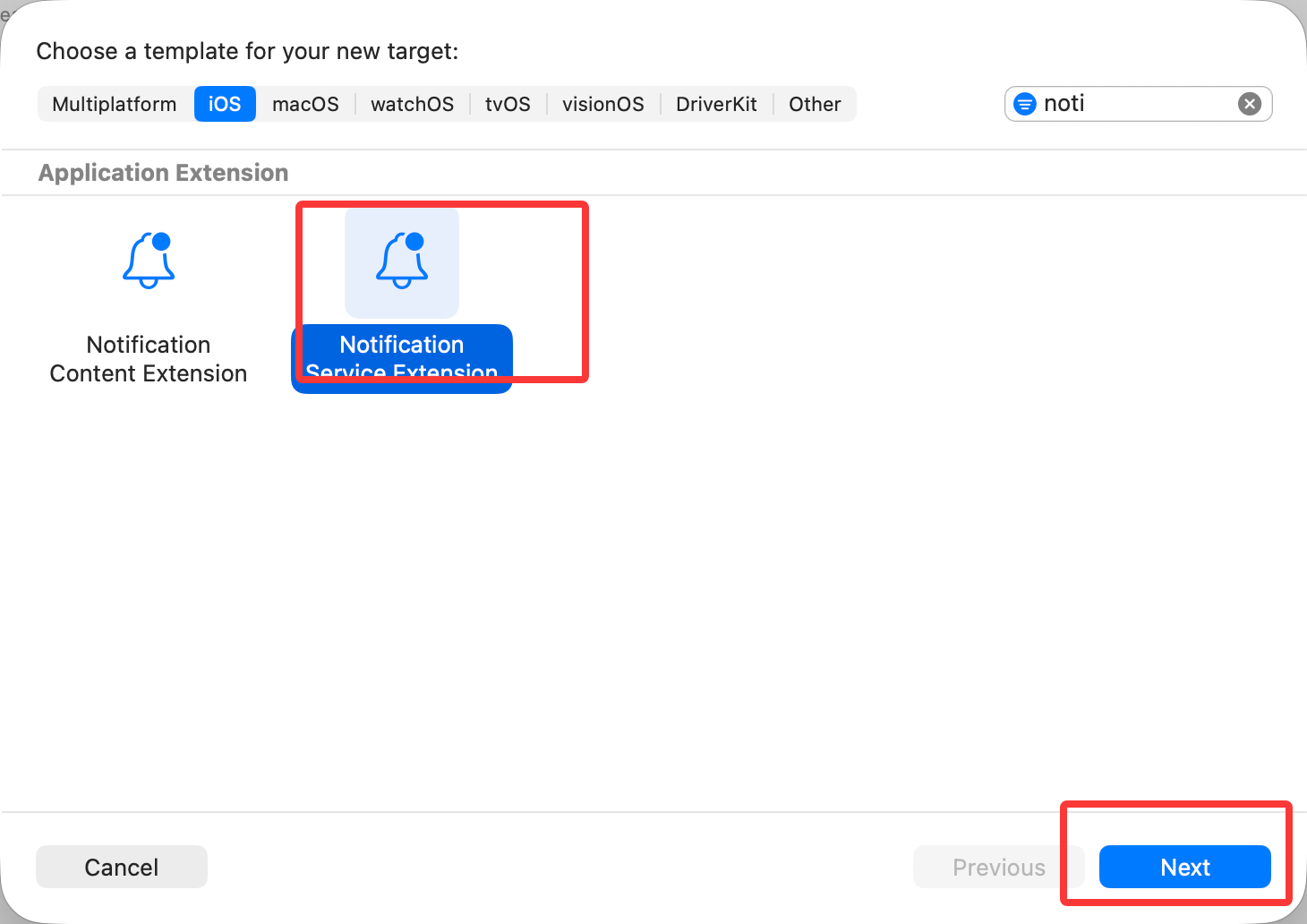
- 4. 이름 지정, 예:
NotificationServiceExtension,Finish클릭하고 활성화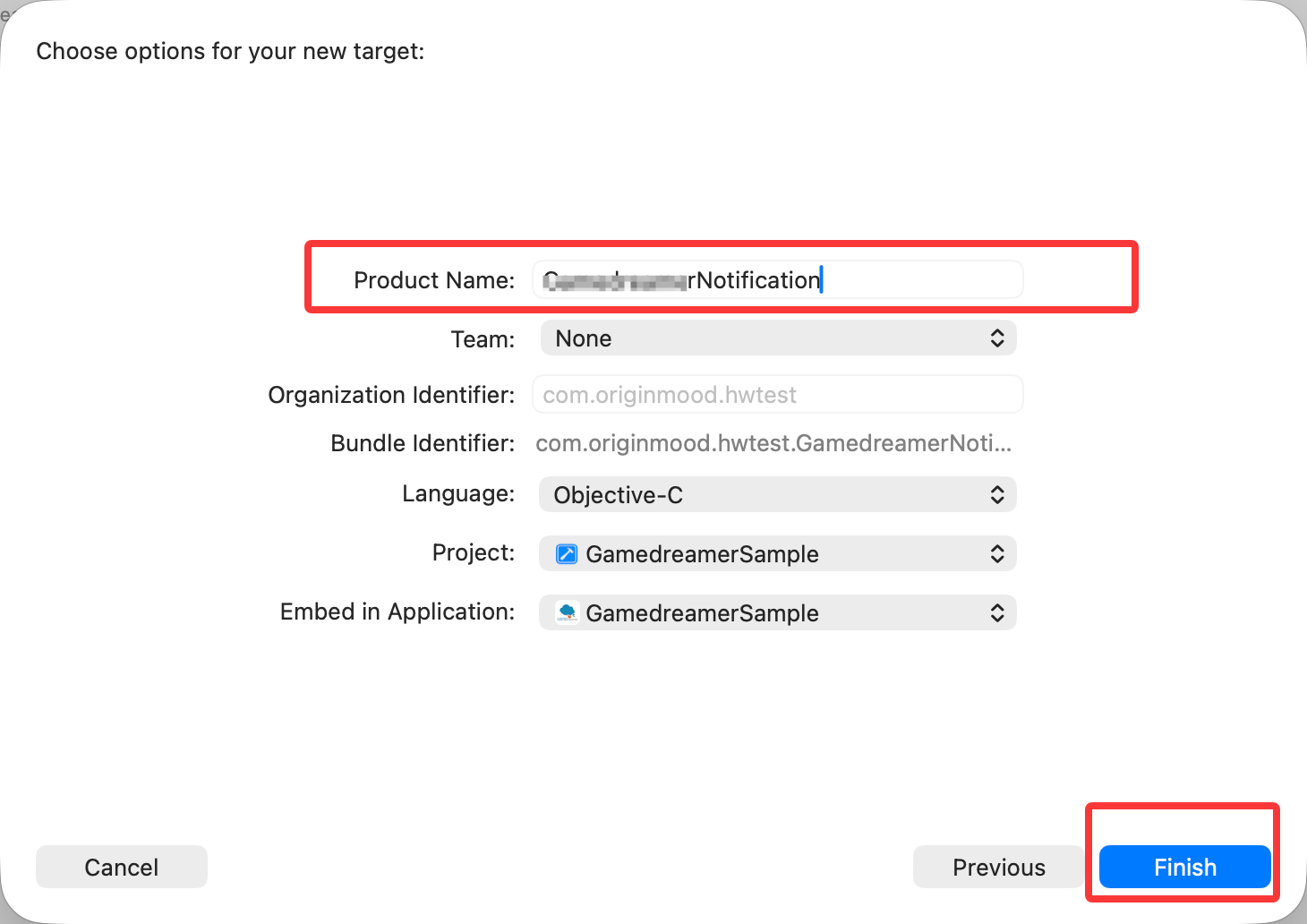
- 5. 생성 후 Xcode가 자동으로 확장의
Info.plist,NotificationService.h,NotificationService.m파일과Target을 생성합니다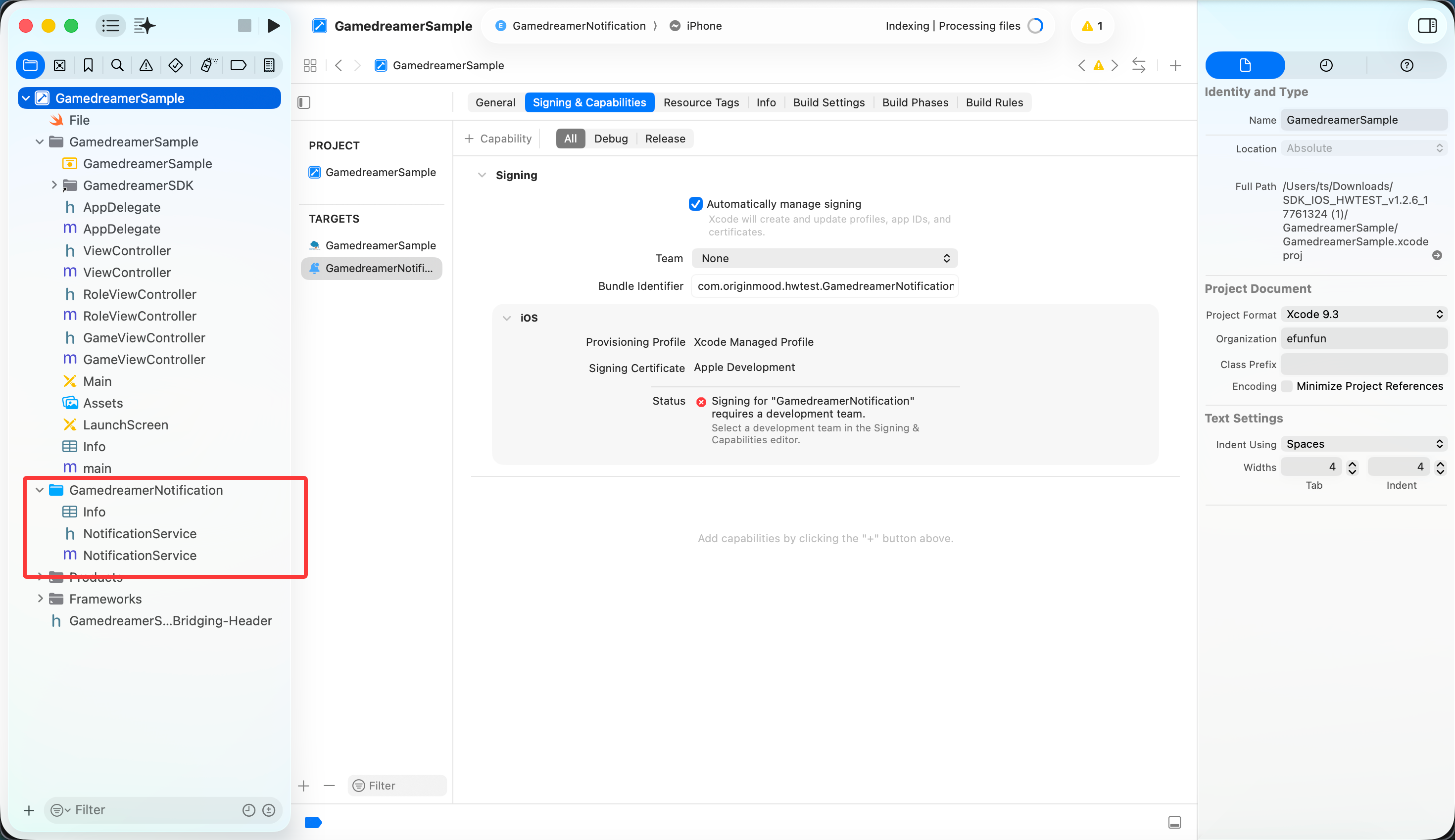
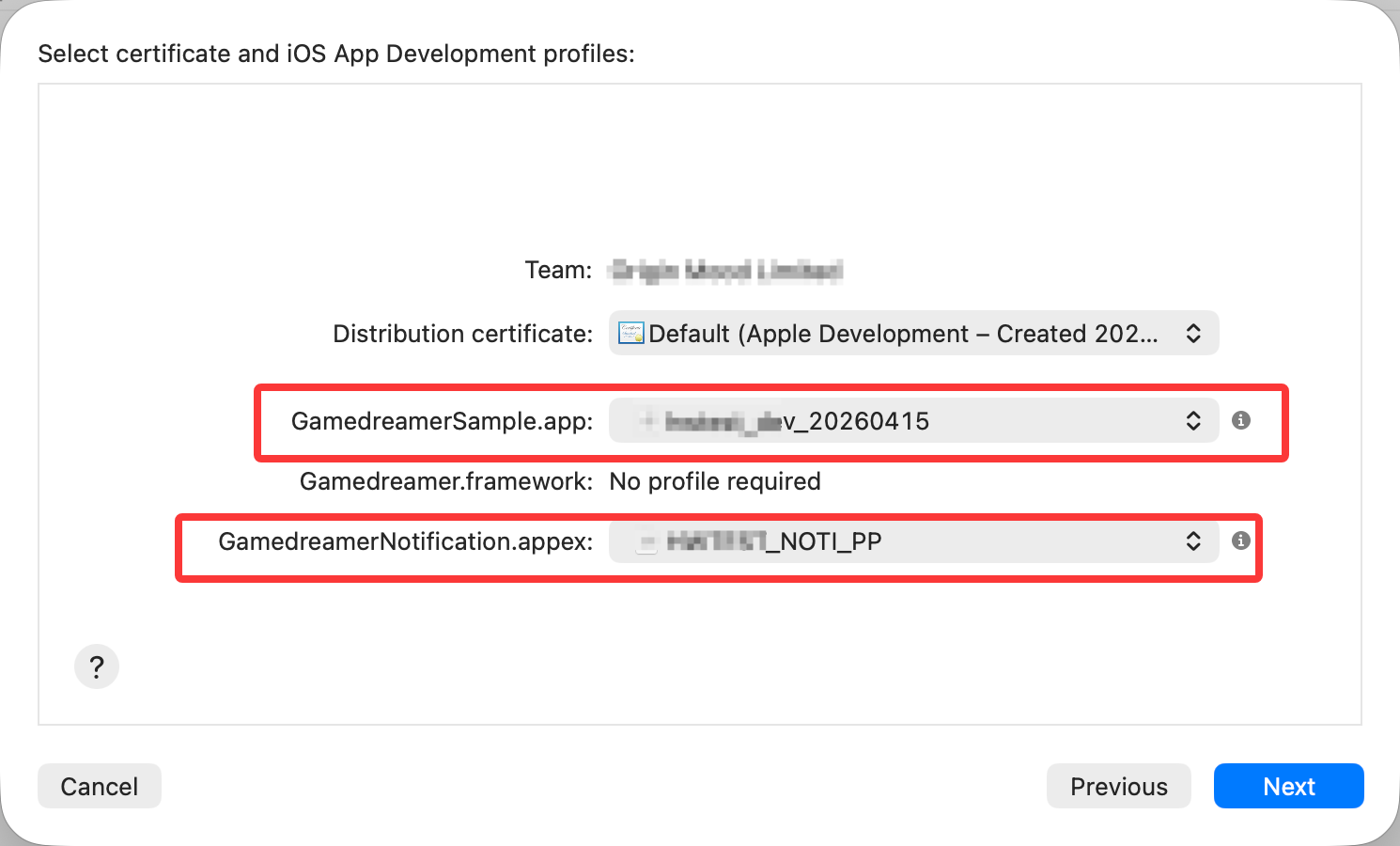
2. 확장 구성 프로비저닝 프로필(Provisioning Profile)
메인 앱(com.example.myapp)과 확장(com.example.myapp.Notification)은 각각 독립적인 프로비저닝 프로필(Provisioning Profile)을 소유해야 합니다. 확장의 Bundle Identifier는 메인 앱의 Bundle Identifier를 접두사로 사용하고, 그 뒤에 사용자 정의 접미사를 추가해야 합니다
Project -> Targets -> NotificationServiceExtension -> Signing & Capabilities에서Provisioning Profile옵션을 클릭하여 프로비저닝 프로필을 추가하세요. 결과는 다음과 같습니다: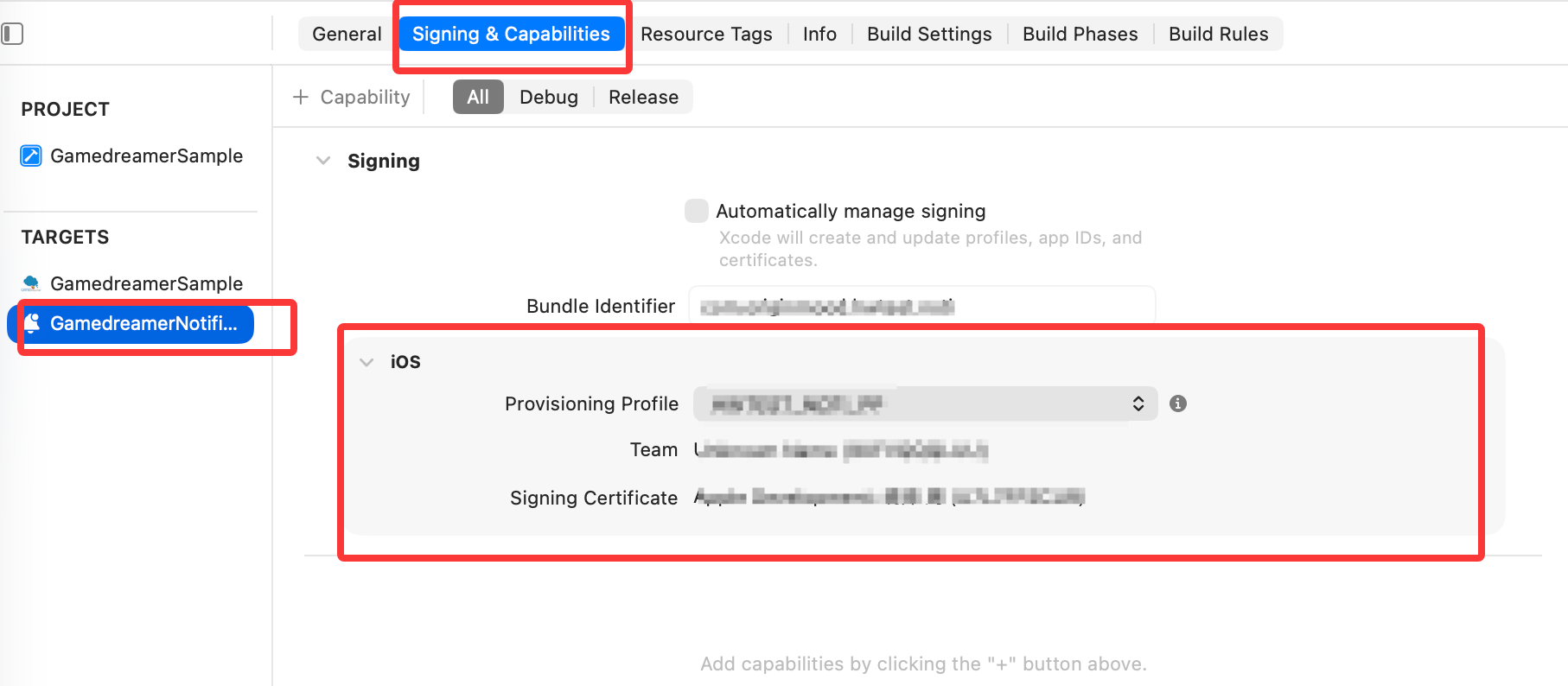
3. 메인 앱과 확장의 버전 관리
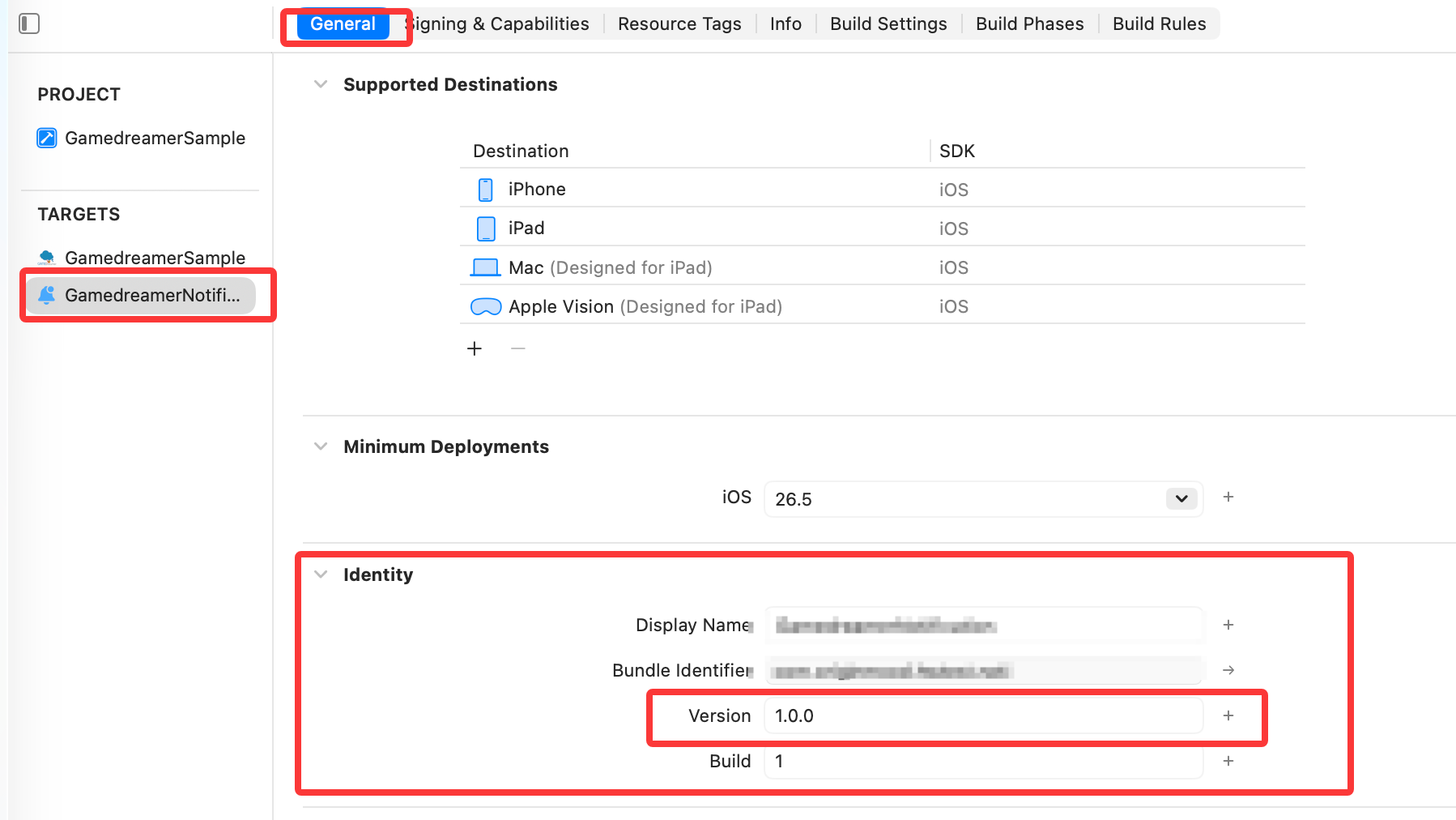
- 1. 확장의 Minimum Deployments는 메인 앱보다 높을 수 없으며, 배포 버전을 메인 앱과 일치시키는 것이 좋습니다
- 2. 확장과 메인 앱의 Bundle version(CFBundleVersion)과 CFBundleShortVersionString을 일치시키는 것이 좋습니다
4. 확장 SDK 및 리소스 파일 가져오기
- 1.
Project -> Targets -> NotificationServiceExtension -> General에서 프로젝트의Gamedreamer를Frameworks and Libraries로 직접 드래그하고Do Not Embed를 선택했는지 확인하세요. 결과는 다음과 같습니다: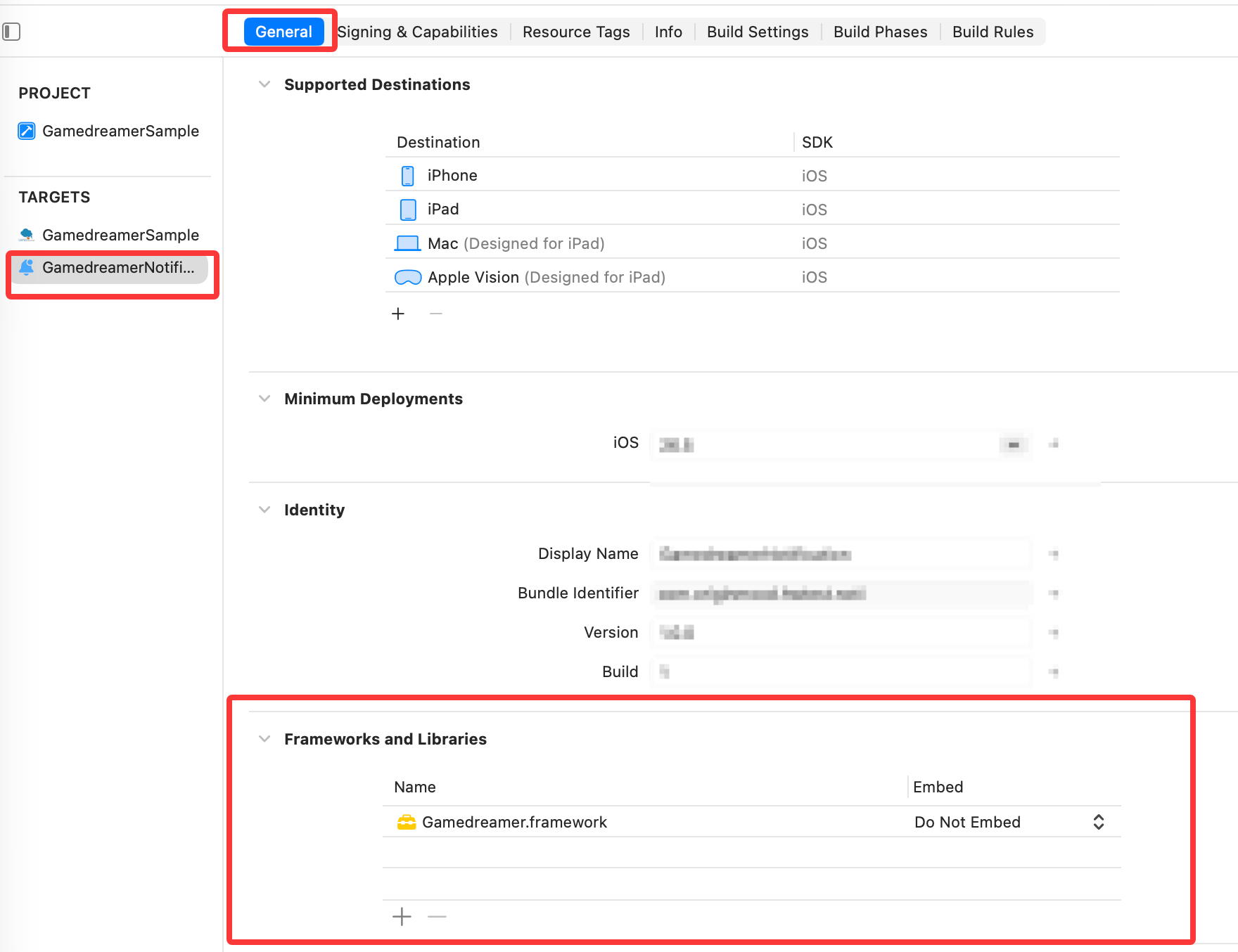
- 2.
Project -> Targets -> NotificationServiceExtension -> Build Phases에서 프로젝트의GamedreamerResources를Copy Bundle Resources로 직접 드래그하세요. 결과는 다음과 같습니다: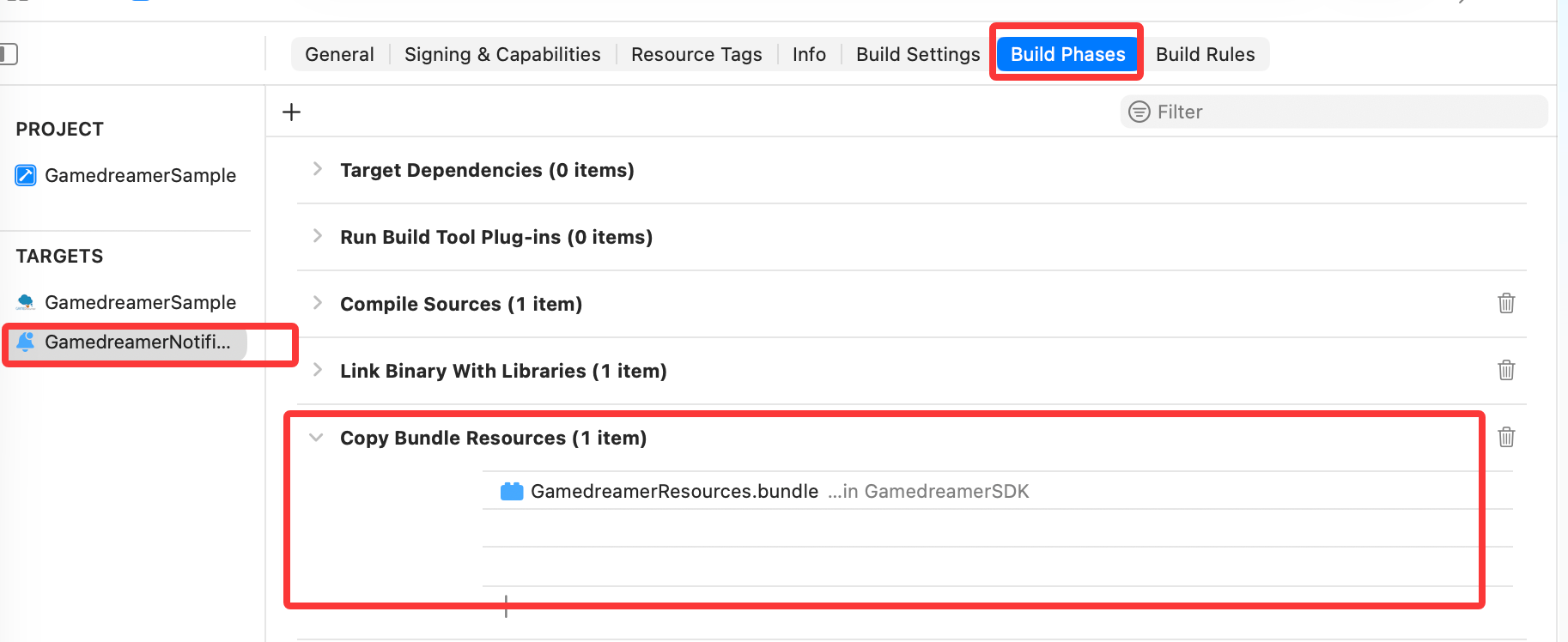
5. SDK에서 제공하는 알림 서비스 확장 인터페이스 참조
NotificationService.m파일 내용 상단의#import "NotificationService.h"아래에#import <Gamedreamer/Gamedreamer.h>코드를 작성하고,- (void)didReceiveNotificationRequest:(UNNotificationRequest *)request withContentHandler:(void (^)(UNNotificationContent * _Nonnull))contentHandler메소드에서[[GamedreamerManager shareInstance] gamedreamerdidReceiveNotificationRequest:request withContentHandler:self.contentHandler];를 호출하세요
참고: 새로 생성된 파일에는 //Modify the notification content here... 주석 아래에 자동 생성된 기본 예제 코드가 있습니다. 이를 삭제하고 SDK에서 제공하는 인터페이스를 호출하거나, 아래 코드를 복사하여 NotificationService.m 파일의 내용을 완전히 교체하세요
objective-c
#import "NotificationService.h"
#import <Gamedreamer/GamedreamerManager.h> //SDK 참조

@interface NotificationService ()

@property (nonatomic, strong) void (^contentHandler)(UNNotificationContent *contentToDeliver);
@property (nonatomic, strong) UNMutableNotificationContent *bestAttemptContent;

@end

@implementation NotificationService

- (void)didReceiveNotificationRequest:(UNNotificationRequest *)request withContentHandler:(void (^)(UNNotificationContent * _Nonnull))contentHandler {
    self.contentHandler = contentHandler;
    self.bestAttemptContent = [request.content mutableCopy];
    //알림 서비스 확장 인터페이스 호출
    [[GamedreamerManager shareInstance] gamedreamerdidReceiveNotificationRequest:request withContentHandler:self.contentHandler];
}

- (void)serviceExtensionTimeWillExpire {
    // Called just before the extension will be terminated by the system.
    // Use this as an opportunity to deliver your "best attempt" at modified content, otherwise the original push payload will be used.
    self.contentHandler(self.bestAttemptContent);
}

@end
6. IPA 패키징 및 내보내기 주의사항
- 1. 메인 앱의 scheme를 사용하여 패키징하면 확장이 자동으로 IPA에 포함됩니다
- 2. Xcode로 IPA를 내보낼 때 메인 앱과 확장의 프로비저닝 프로필을 모두 추가해야 합니다