SDK文件導入
- 1、把
***GamedreamerSDK***文件夾裡的所有文件拖入工程中。 - 2、文件導入工程中後查看
Project -> Targets -> General -> Frameworks,Libraris,and Embeded Content,將Gamedreamer.framework標為嵌入,如下圖所示: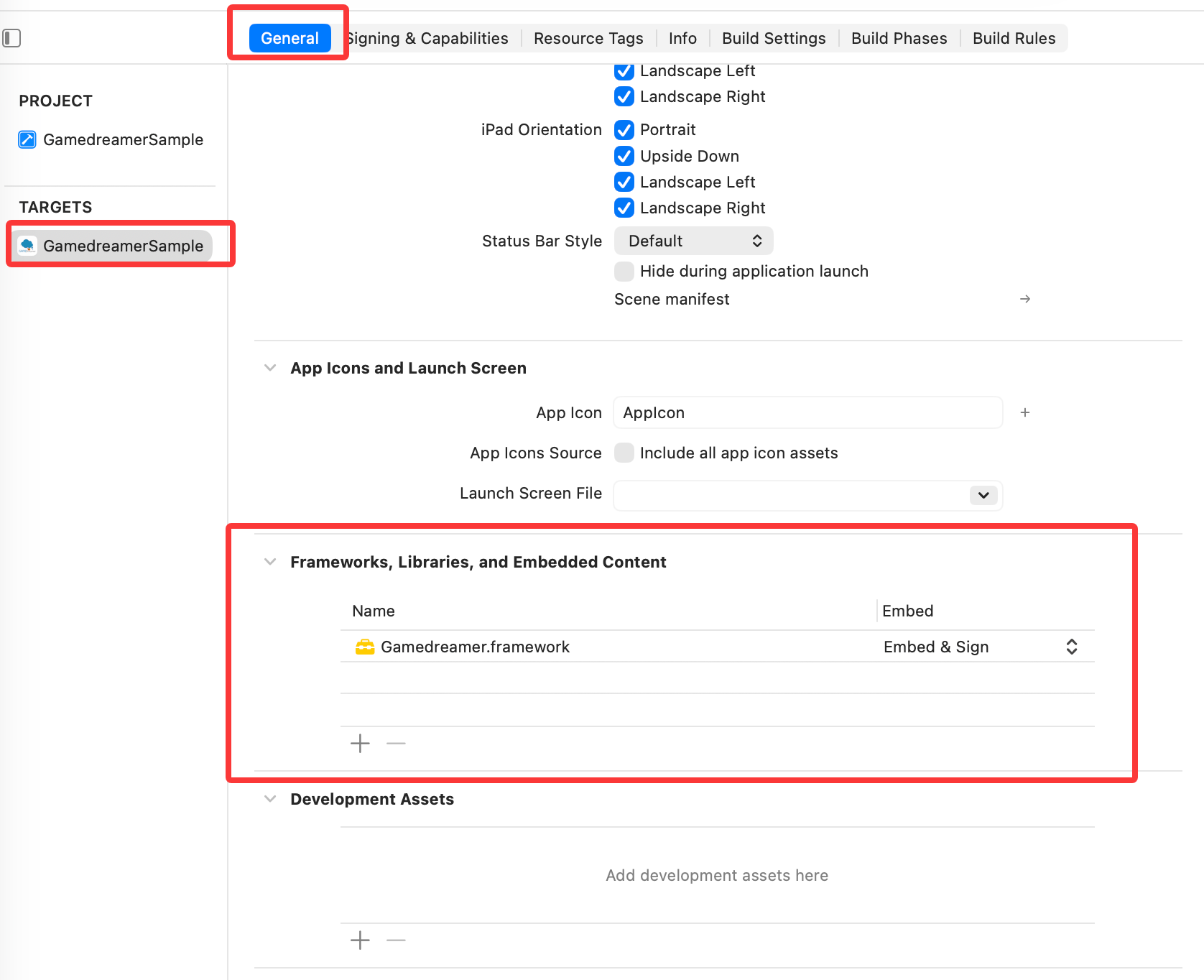
- 3、在
Project -> Targets -> Build Phases -> Embed Frameworks中查看是否引入framework文件,如下圖所示: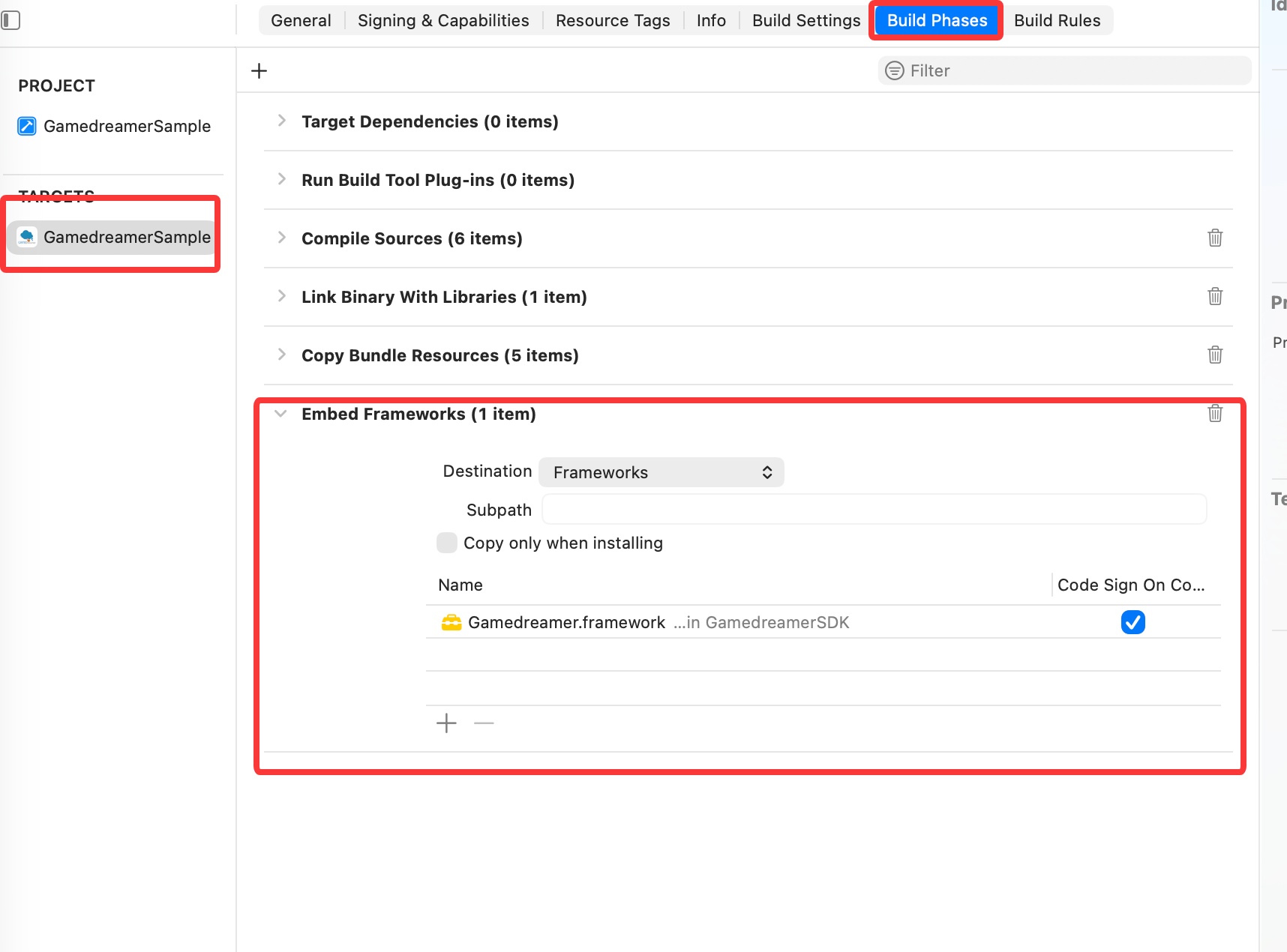
動態庫含有的文件:
| 文件名 | 說明 |
|---|---|
| Gamedreamer.framework | SDK庫文件 |
| GamedreamerResources.bundle | SDK庫資源 |
| Accelerate.framework | SDK庫文件 (1.8.0527版本新增) |
| GoogleSevice-info.plist | 由於遊戲需求的差異,部分遊戲裡本文件可能沒有 |