Check Server (required)
Description
Call the method when the player clicks on the “Enter the game” button after the player logs in successfully. This method will check whether the server status is available and record server information. The game can be entered only when the server is in a normal state. The server parameter passed in by this method should be the server information that the player last logged in to. When the game uses its own server page, pay attention to pass the correct servercode.
Icon
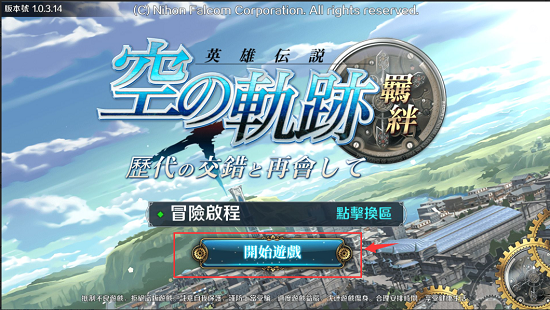
As shown in the figure, when the player clicks the "start game" button, the interface is called to check the state of the server selected by the player.
Method
objective-c
- (void)gamedreamerCheckServerWithServerId:(NSString *)serverid
                             andCompletion:(void (^)(NSDictionary *userInfo, NSError *error))detectInfoCallback;
Parameter
| Parameter name | Can be nil | Description |
|---|---|---|
| serverid | According to the situation | The current player's serverid (obtained from userInfo returned after successful login). If you are using the Gamedreamer platform's server interface selection method (that is, call the server list interface), this parameter is passed nil. But using the game's server method, be sure to pass in this parameter |
Callback
userInfo:
| Parameter | Description |
|---|---|
| EFunfunServerInfo | 1、address:Server IP; ; 2、gamecode:game code; ; 3、port:prot; ; 4、ServerName:Server Name; ; 5、servercode:Server ID; ; 6、status:Server Status(1 is Open,0 is Close); ; 7、repairNoticeContext |
| sessionid | Login ‘s Session id |
| token | Login ‘s token |
| showname | account nickname |
error(When the parameter is not empty, it means that the login failed)
Example code
objective-c
[[GamedreamerManager shareInstance] gamedreamerCheckServerWithServerId:@"server id" andCompletion:^(NSDictionary *userInfo, NSError *error){
        if(error){
            //Server maintenance

        }else{
            //Enter game processing
        }

}];