Project Setting
After completing the SDK file import, you will need to configure the parameter project. There are 5 steps of configuration, detailed steps such as content.
Setting
All configurations are done on the
info.plistfile. The required Setting value is in theconfiguration_data.txtfile
A、Setting the basic information:
- 1、Setting the
Bundle id:Find Key asBundle identifieritem ininfo.plist,Fill in the corresponding value (eg, value: com.gamedreamer.demo); - 2、Add
-ObjCto Build Settings > Other Linker Flags.
The effect is shown in the figure: 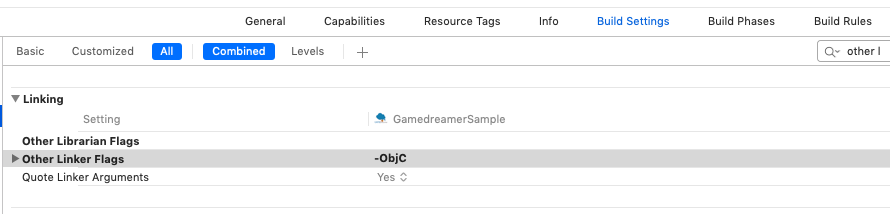
- 3、Setting the
Version:Find Key forBundle versionandBundle versions string, shortitems ininfo.plist, Fill in the corresponding value (this value must be agreed with the person in charge of the game).
The effect is shown in the figure: 
B、Setting Facebook Info
- 1、Setting the
Facebook App ID:Add a Key value toFacebookAppIDininfo.plist,Typevalue is data of typeString, fill in the corresponding value (the corresponding value is inconfiguration_data.txt); - 2、Setting the
URL Schemes:Fill in the corresponding value in theURL Schemesbox inProject -> Targets -> Info -> URL Types,value rules isstring“fb”+facebook app id。
The effect is shown in the figure: 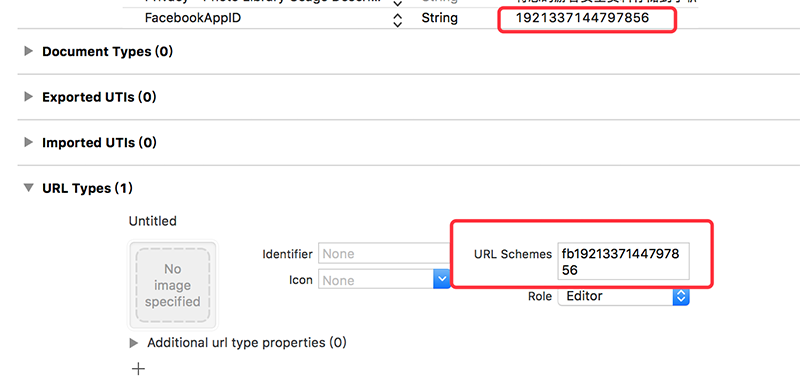
C、Setting Line Info
- 1、Setting the
Line App ID:Add a Key value toLineSDKConfigininfo.plist,Typevalue is data of typeDictionary, add a ChannelID item in this dictionary (the corresponding value is inconfiguration_data.txt); - 2、Setting the
URL Schemes:Fill in the corresponding value in theURL Schemesbox inProject -> Targets -> Info -> URL Types,value isline3rdp.Add the bundleId of your project。
The effect is shown in the figure: 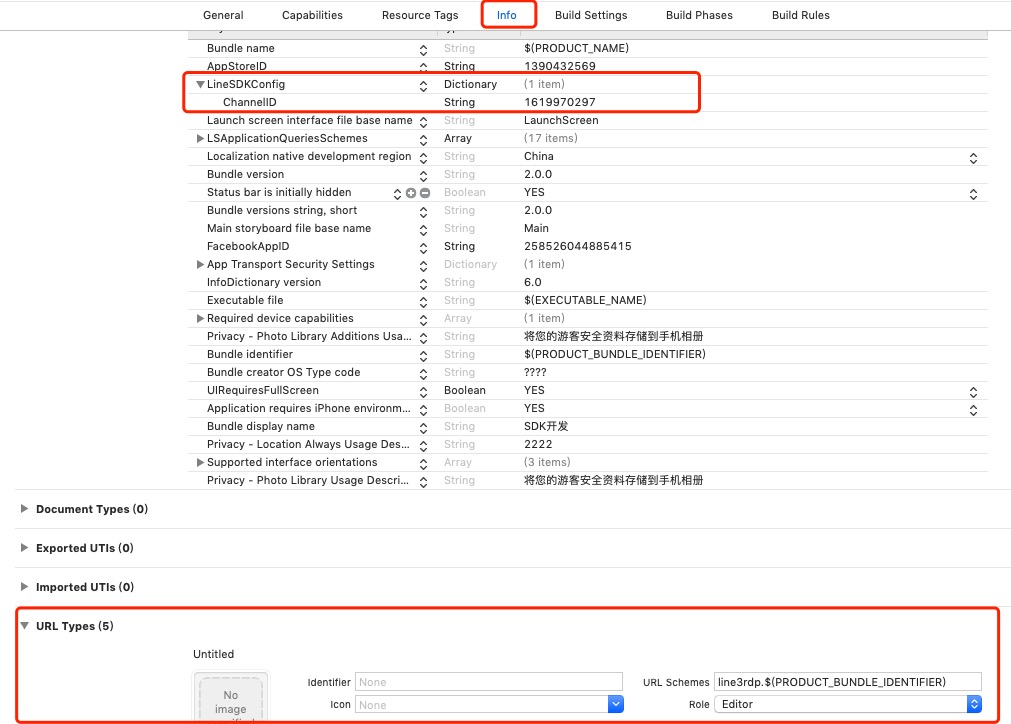
D、Setting Twitter Info
- 1、Find
Twitter ID:in theconfiguration_data.txtSee the Picture: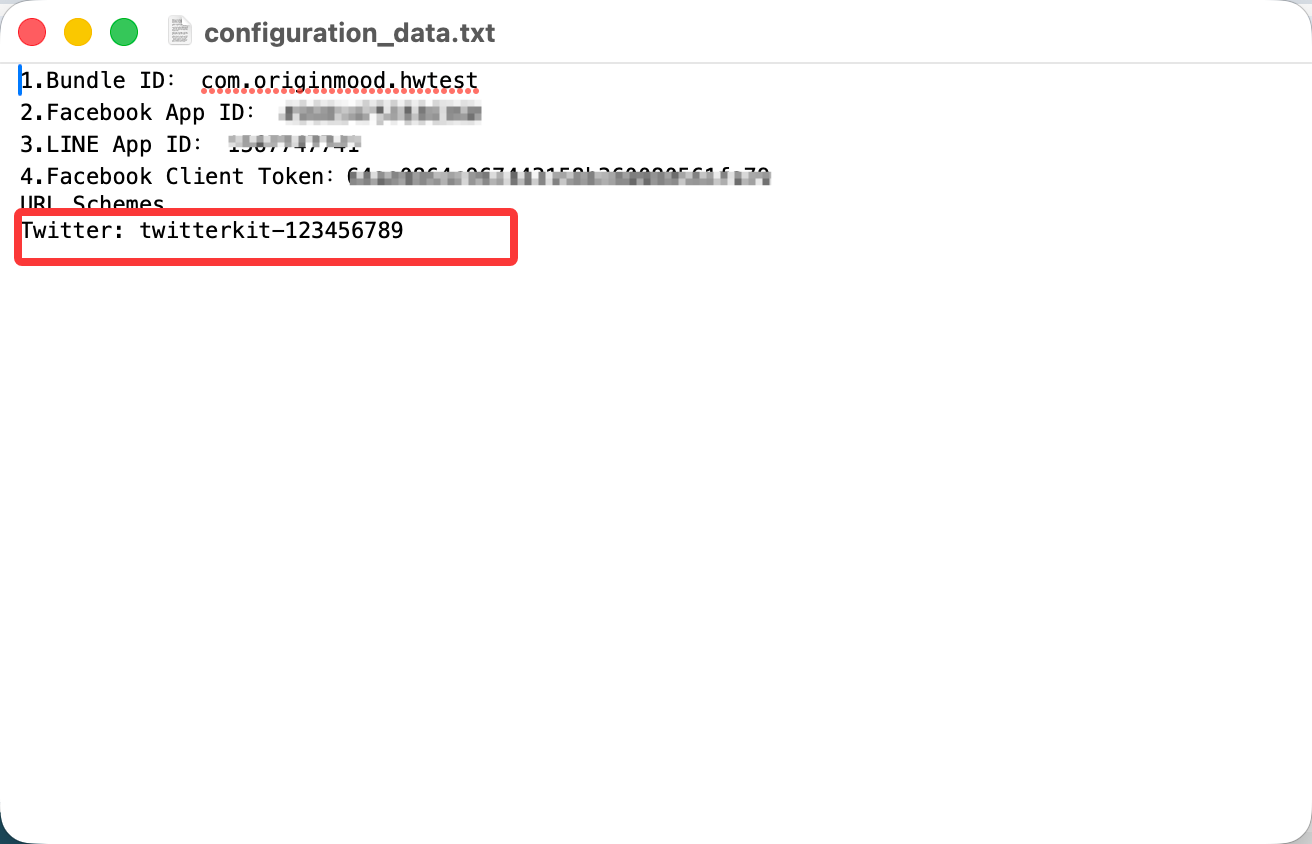
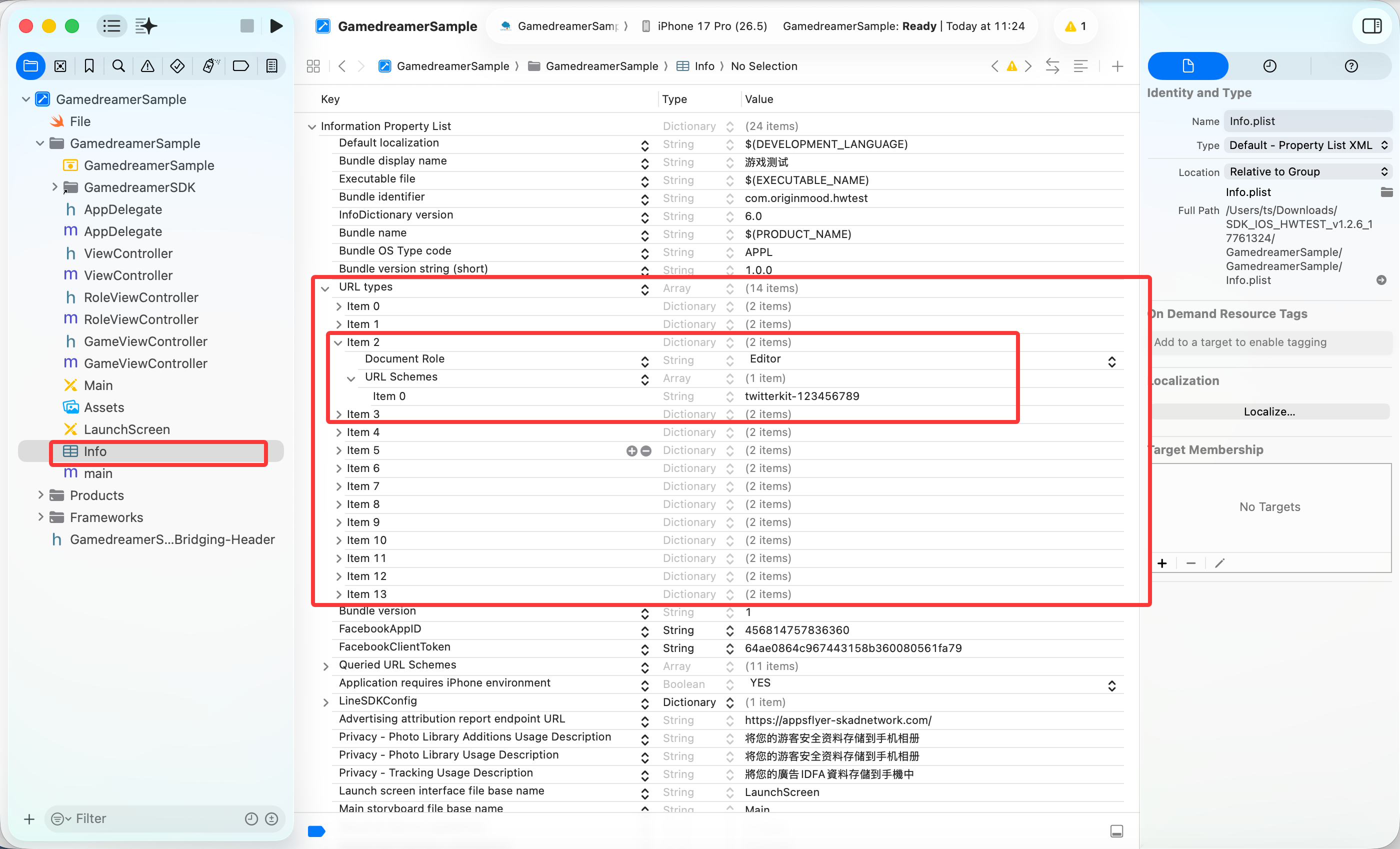
- 2、Setting the
URL Schemes:Fill in the corresponding value in theURL Schemesbox inProject -> Targets -> Info -> URL Types,value isTwitter ID。
See the Picture:
E、Setting Google Info
- 1、Find
Google ID:in theconfiguration_data.txtSee the Picture: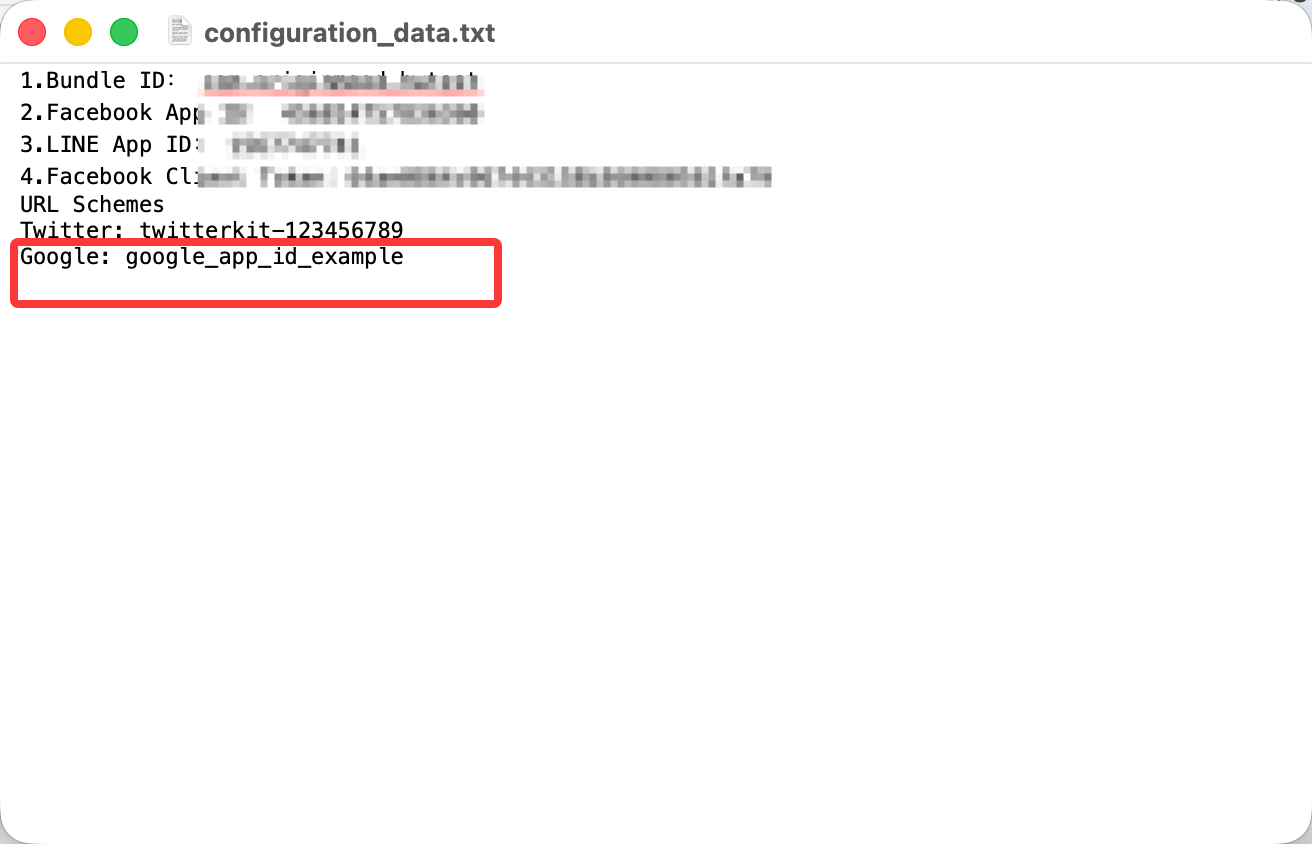
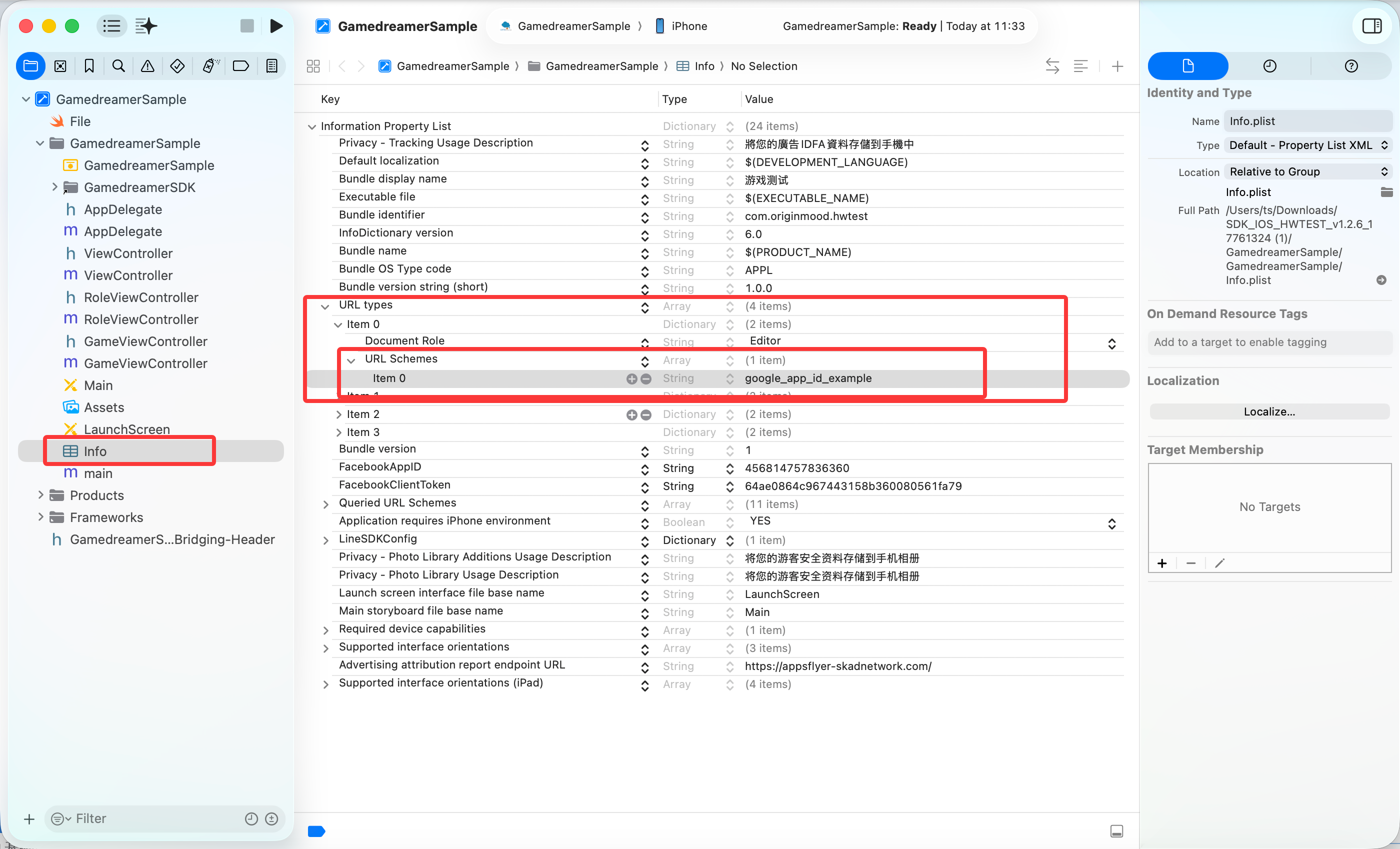
- 2、Setting the
URL Schemes:Fill in the corresponding value in theURL Schemesbox inProject -> Targets -> Info -> URL Types,value isGoogle ID。
See the Picture:
F、Setting AppsFlyer Info
- 1、Set the AppsFlyer report address
Advertising attribution report endpoint URL: add the keyAdvertising attribution report endpoint URLininfo.plist, setTypetoString, and fill inhttps://appsflyer-skadnetwork.com/.
See the Picture: 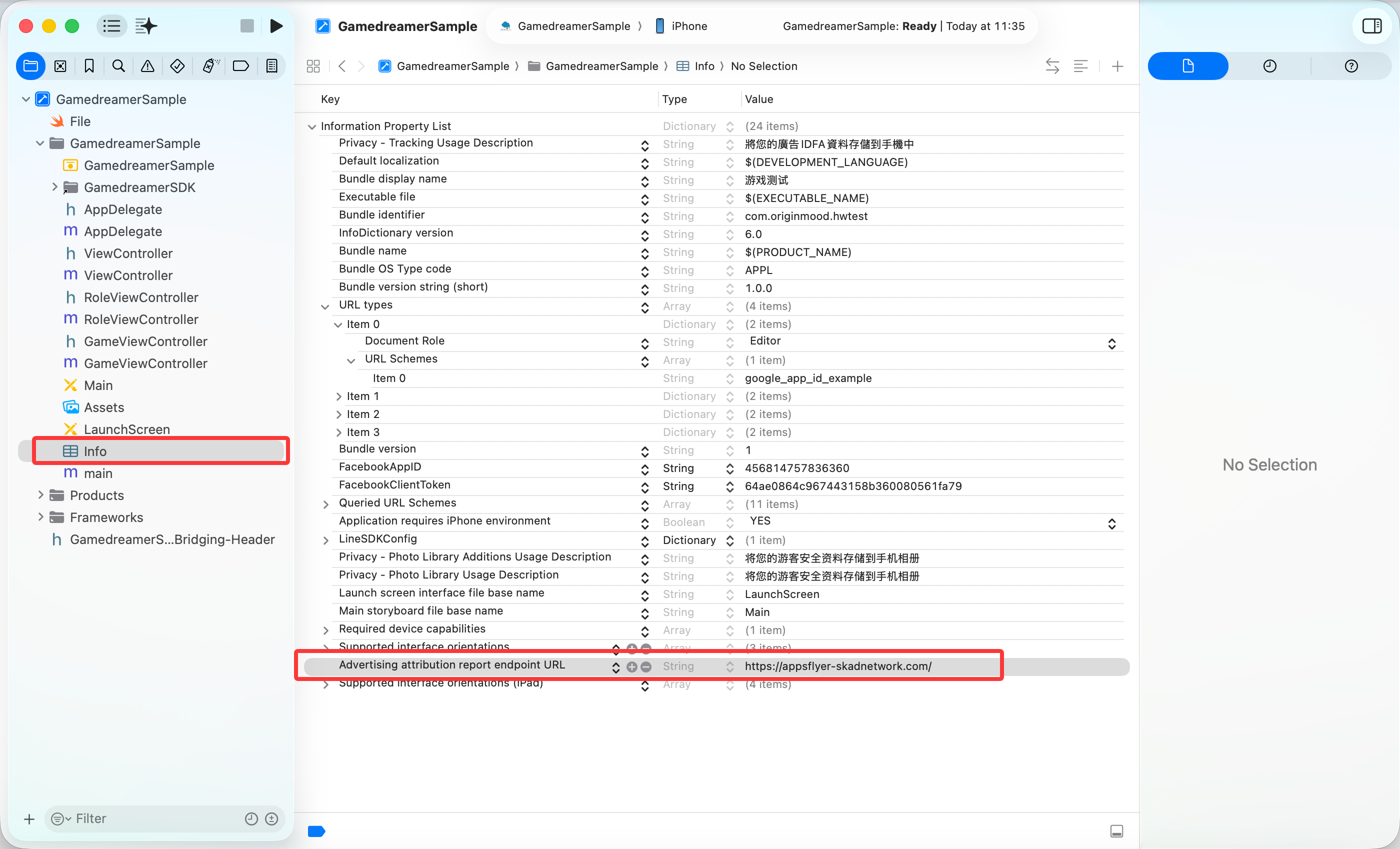
- 2、Set AppsFlyer
URL Schemes: fill in the value inProject -> Targets -> Info -> URL Types. The rule islowercase GameCode + facebook app id; theGameCodevalue can be obtained fromGamedreamerResources.bundle -> GamedreamerConfig.plist.
See the Picture: 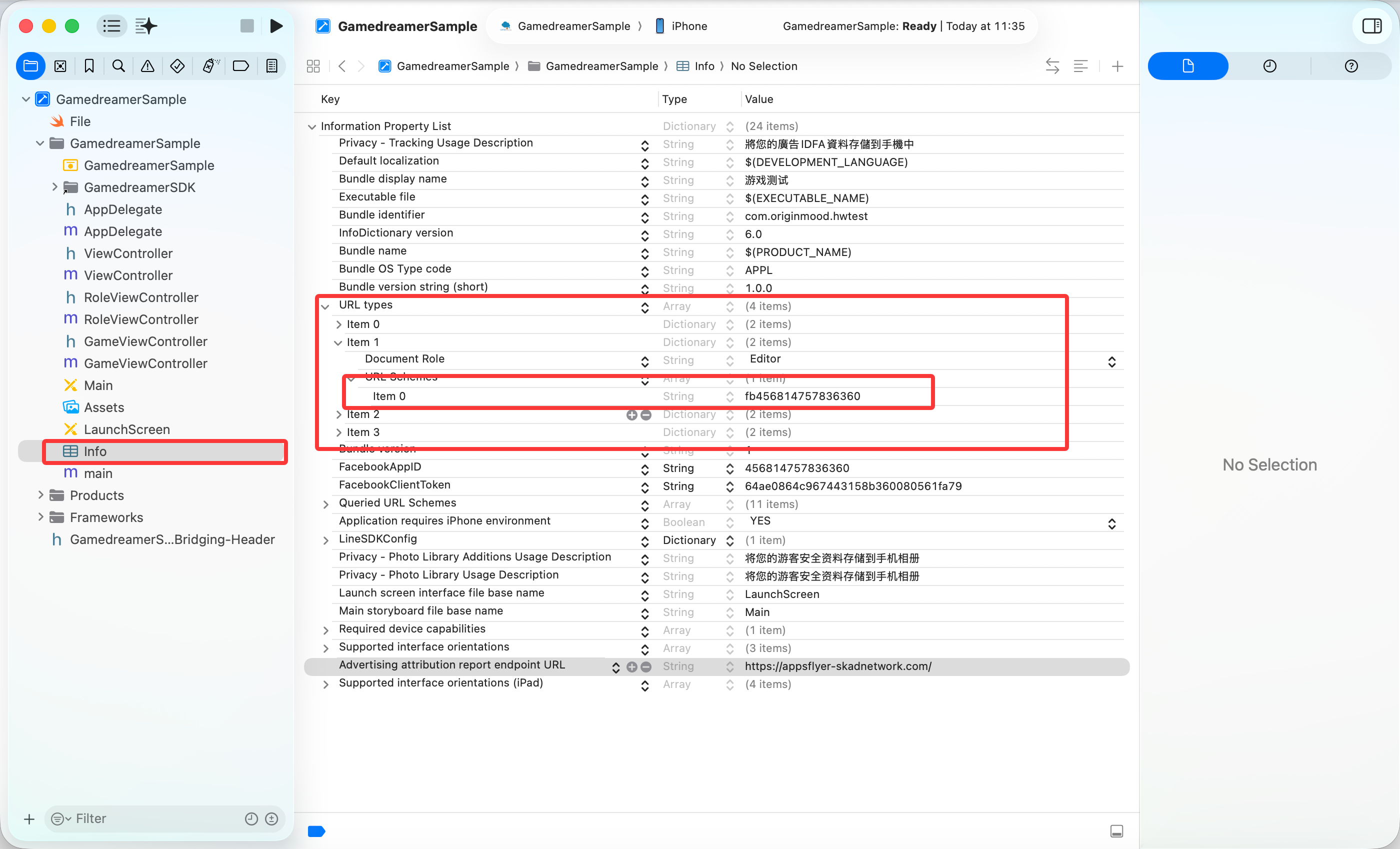
G、Setting AppleSignIn Info (After 1.8.0527 version must configure this function):
- 1、Open
Sign in with Apple:in theProject -> Targets -> Signing & Capabilities -> +Capability, find the capability and double click.
See the Picture: 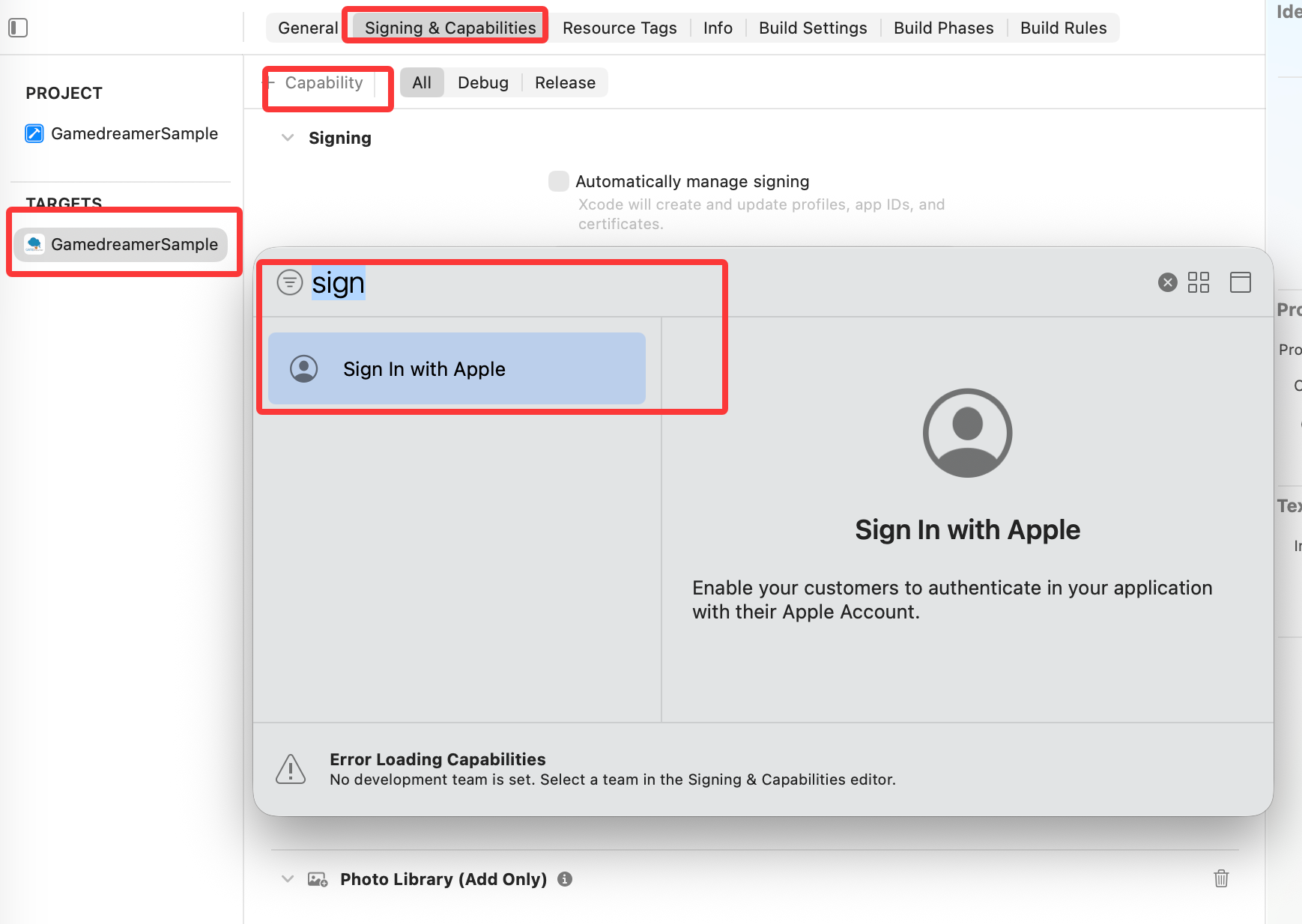
H、Setting the Permissions :
- 1、Setting the
Schemes whitelist:Add a key valueLSApplicationQueriesSchemestoinfo.plist,Typeis data of typeArray,And add the following five value in array:fbauth2,line3rdp.Add the bundleId of your project,lineauth,fbshareextension,fbapi,twitter,twitterauth;*(before 1.8.0421 version SDK do not need to configuretwitter,twitterauth)
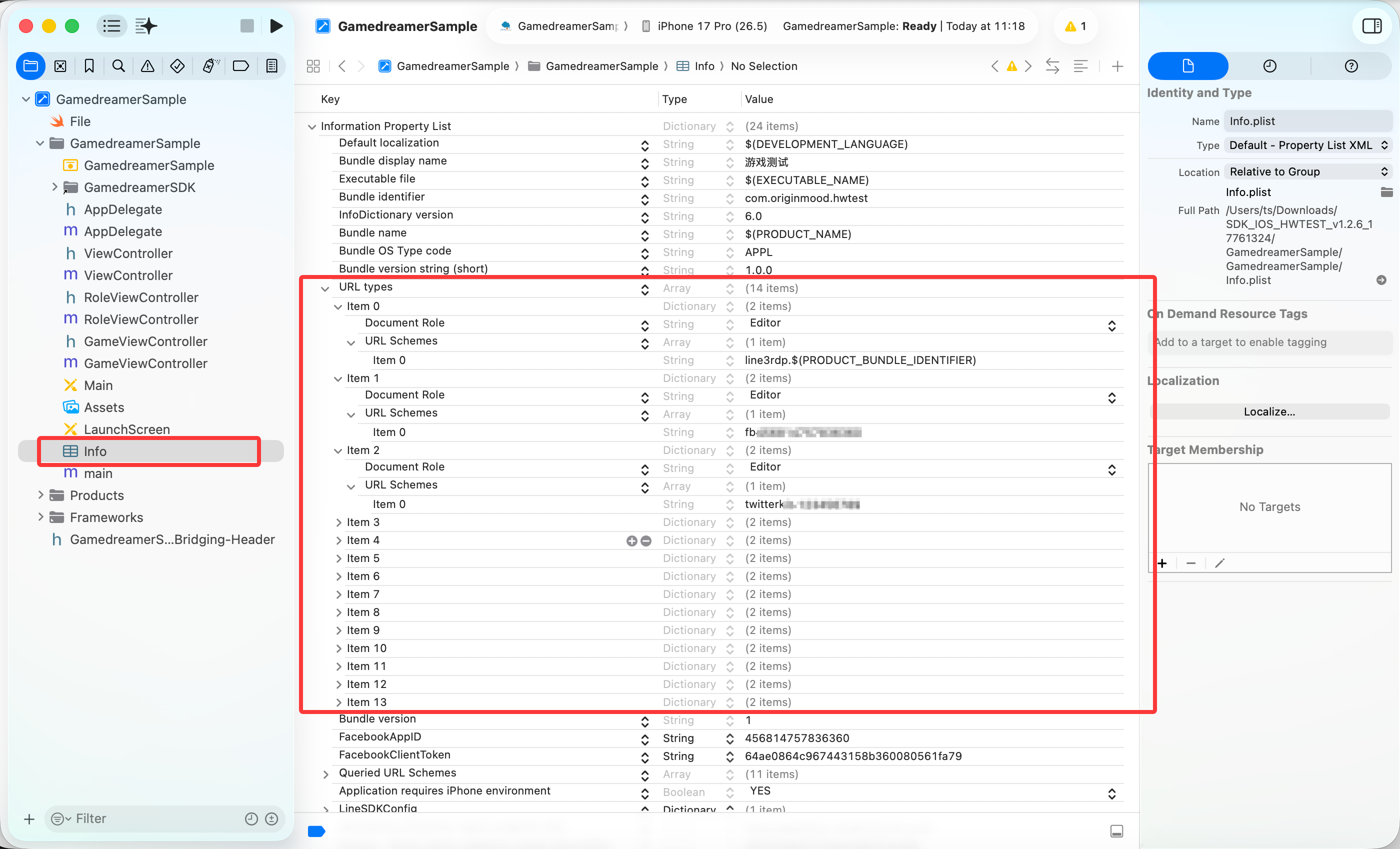
- 2、Setting the
Photo Library Permissions:Add key valuesNSPhotoLibraryUsageDescriptionandNSPhotoLibraryAddUsageDescriptionininfo.plist,Typeis data of typestring,The twovaluevalues are the same, and the values are as follows (the value is different depending on the local language of the game):
| Language | Value |
|---|---|
| traditional Chinese | 將您的遊客安全資料存儲到手機相冊 |
| Simplified Chinese | 将您的游客安全资料存储到手机相册 |
| Thai | จัดเก็บข้อมูลบัญชีของคุณเข้าในอัลบั้มโทรศัพท์ |
| Indonesian | Data anda akan disimpan di Albums |
| English | Save your information of guest account into the album of your device |
| Korean | 게스트정보는 캘러리에서 저장되었습니다 |
| Japaness | ゲストアカウント資料をアルバムに保存する |
The effect is shown in the figure: 
I、Setting the Notification:
- 1、open
Notification:FindNotificationsinProject -> Targets -> Capabilities,open it.
The effect is shown in the figure: 
- 2、Xcode 11.0 version above,Open
Push Notification:in theProject -> Targets -> Signing & Capabilities -> +CapabilityfindPush Notifications,double click add it。
The effect is shown in the figure: 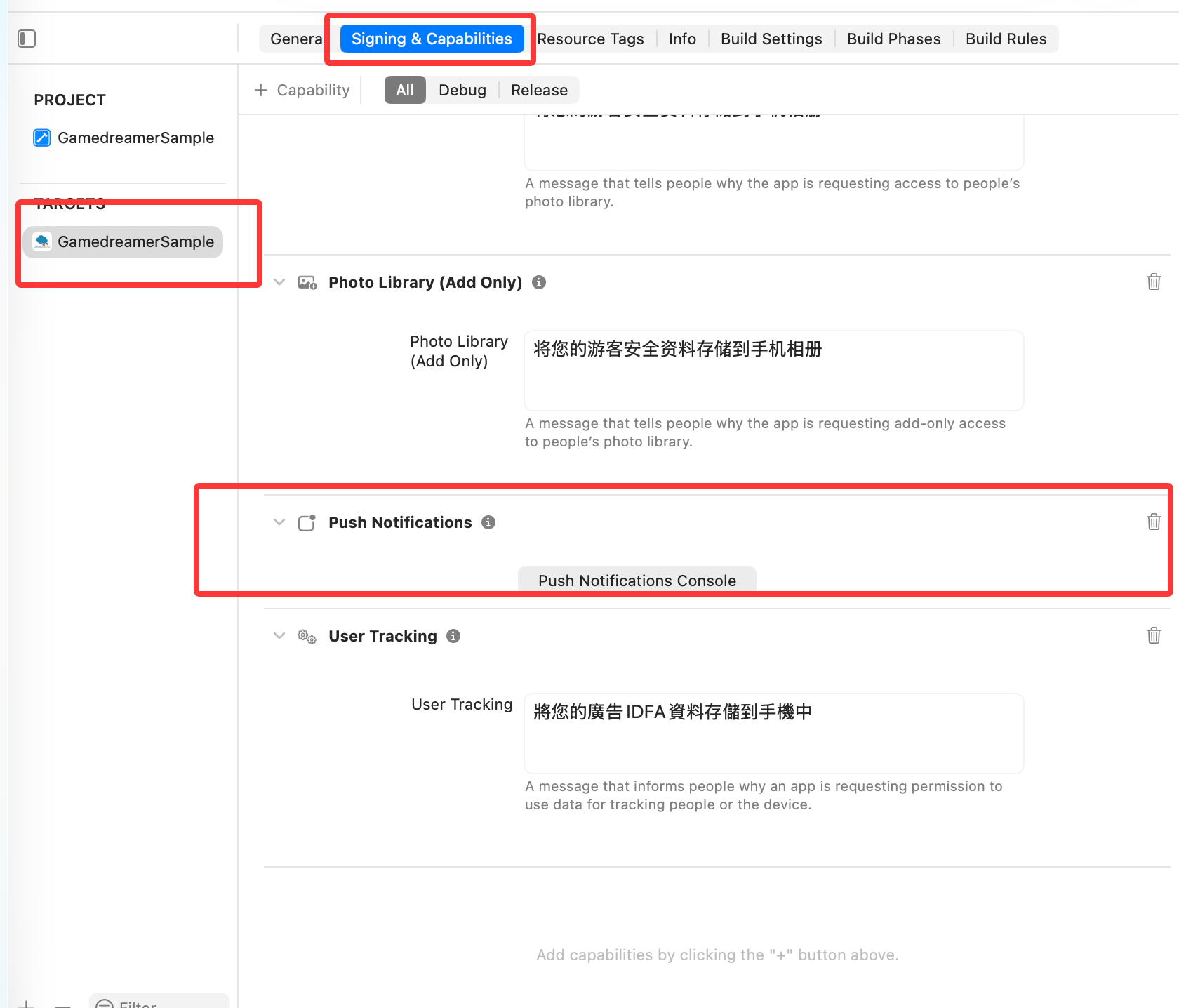
J、iOS 13 IDFA permission configuration (required for version 20.12.22 and later):
- 1、info.plist
As follows:
<key>NSUserTrackingUsageDescription</key>
<string>Your data will be used to deliver personalized ads to you</string>
K、Because the latest Facebook SDK depends on Swift, the Xcode project must add the Swift dependency (required for version 20.12.22 and later):
As follows:
Target -> Build Settings -> Build Options -> Always Embed Swift Standard Libraries -> YESL、Universal Link Setting (optional, confirm with technical support)
- 1、Enable Universal Link: in
Project -> Targets -> Signing & Capabilities -> +Capability, findAssociated Domainand double click to add it. See the Picture: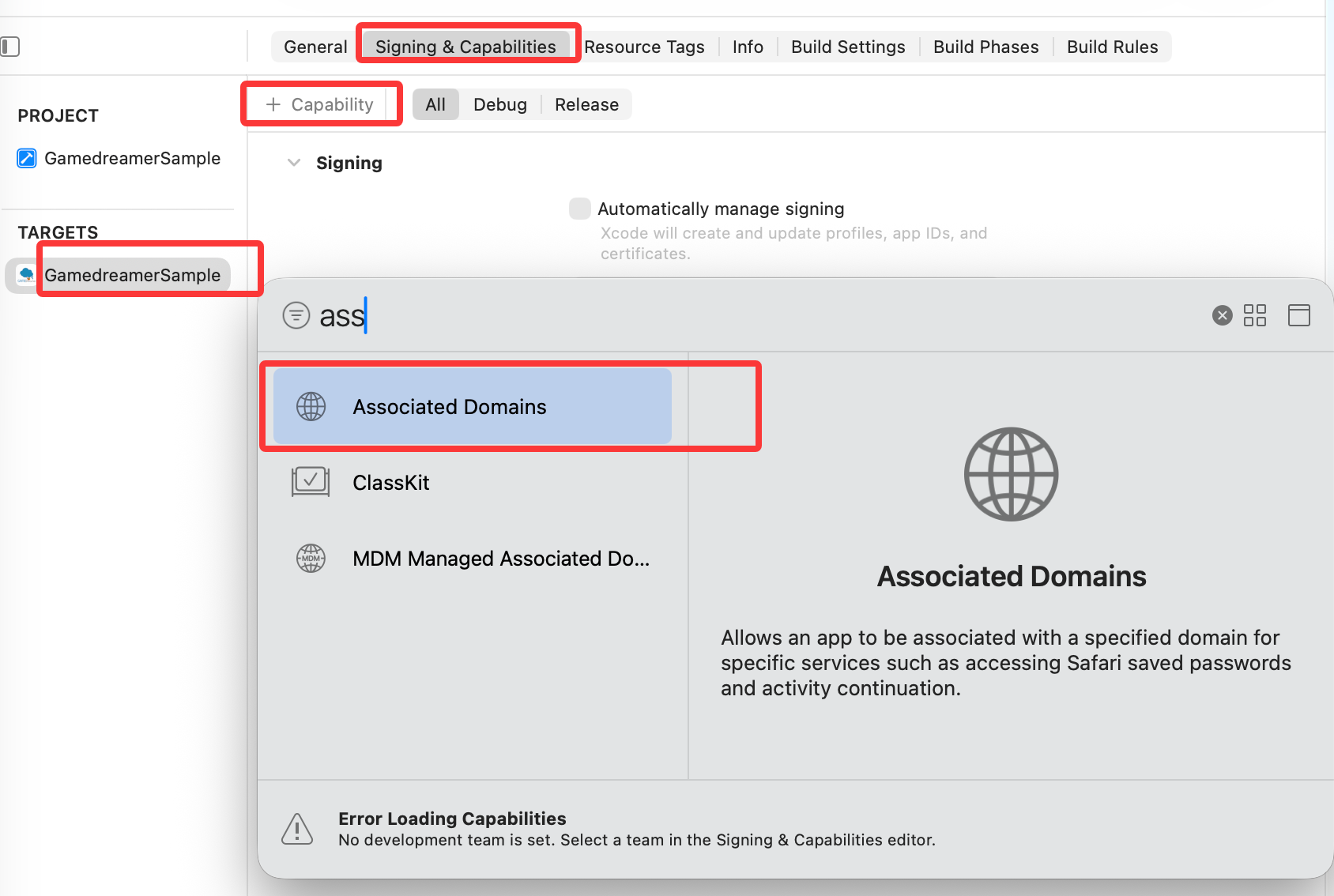
- 2、Add the link in the associated domain. Confirm the link content with the technical team. See the Picture:
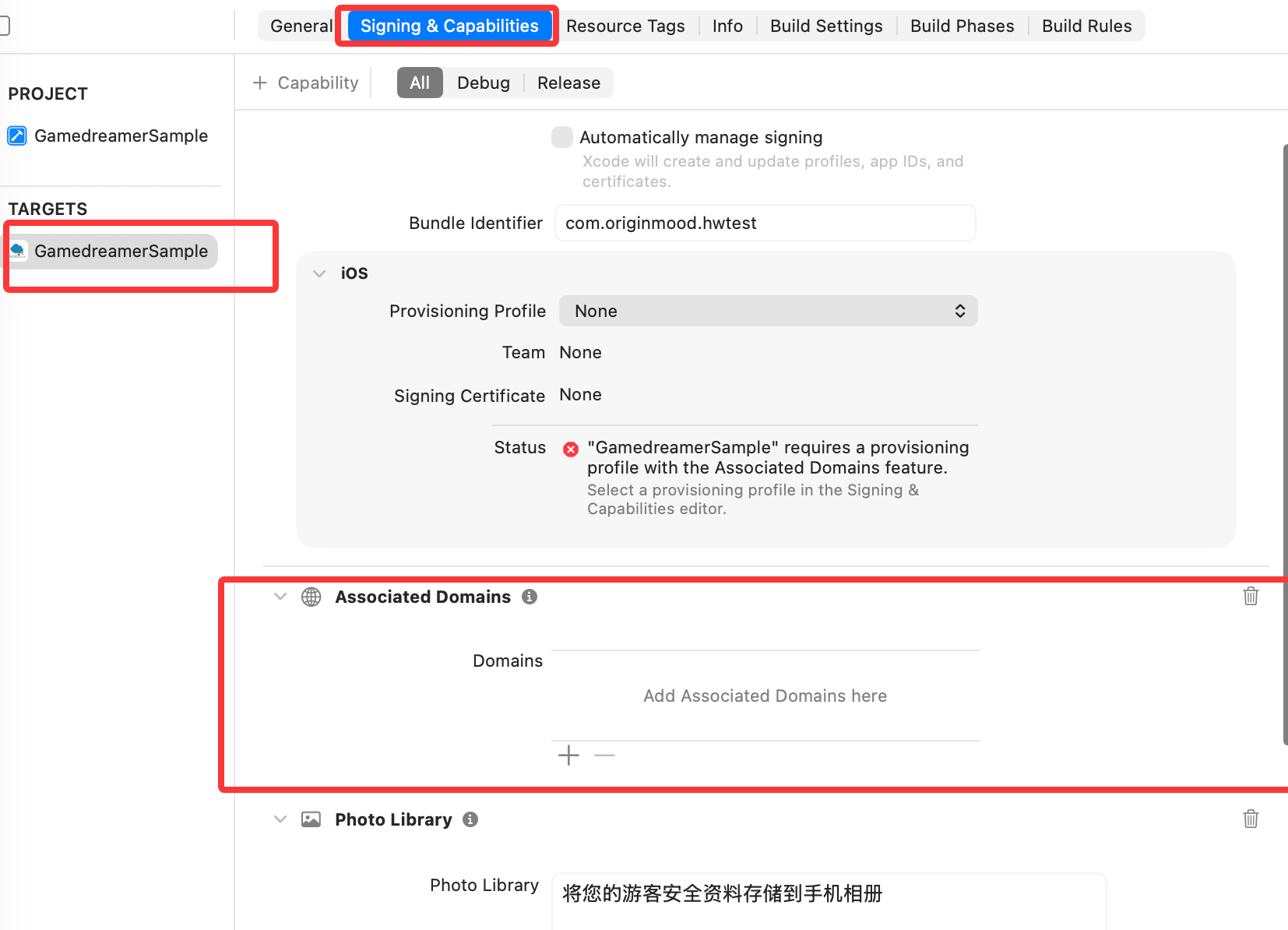
M、Privacy manifest file setting (recommended, to avoid review issues)
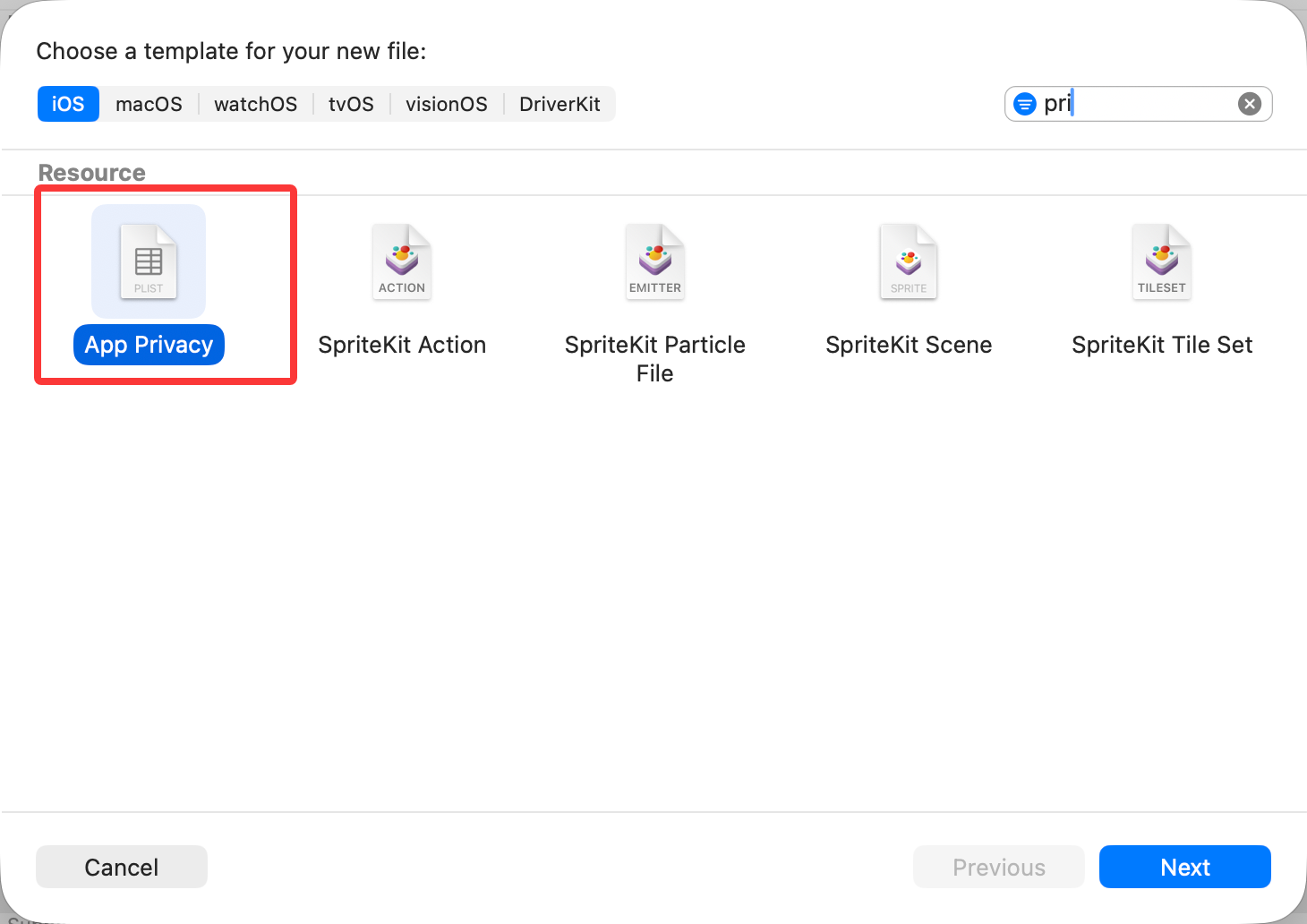
1、Add the PrivacyInfo file to the main project. In info.plist -> right-click New File from Template, find App Privacy and create it. See the Picture: